
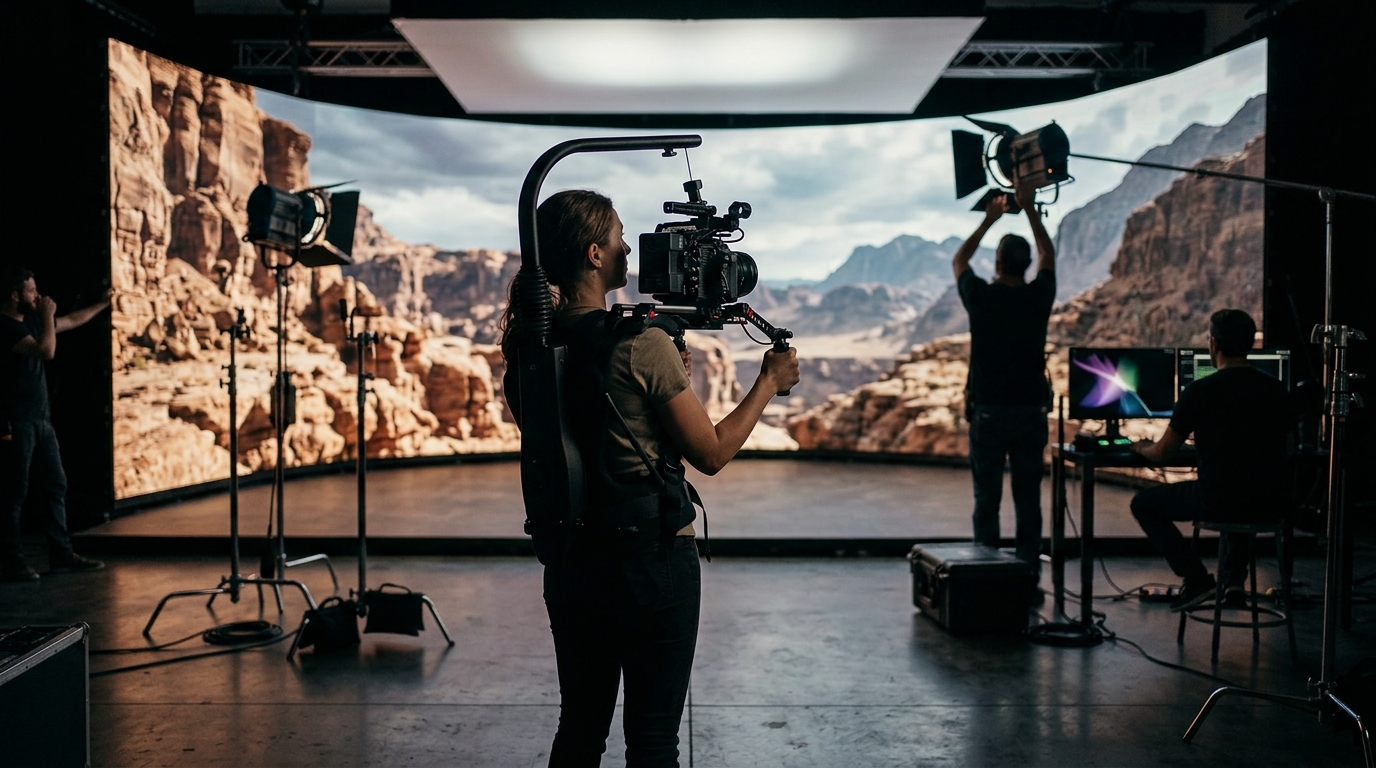
LED volume walls have transformed how filmmakers create immersive environments, replacing green screens and distant location shoots with real-time, in-camera visual effects. But getting clean, professional footage from an LED volume requires more than just turning it on. From camera settings and lens selection to lighting integration and content preparation, every detail matters. Whether you are shooting a feature film, a commercial, or a music video at an LED volume studio, these best practices will help you avoid common pitfalls and get the most out of virtual production technology.
What Is a Volume Wall?
A volume wall is a large, curved LED display backdrop used in virtual production to render photorealistic environments in real time. According to AVIXA, it is essentially a giant stage backdrop made up of LED panels that respond dynamically to camera position. Real-time engines like Unreal Engine drive the content, adjusting perspective as the camera moves to create parallax that looks natural on screen.
At 24 ATL Studios in Atlanta, the LED volume wall measures 30 feet wide by 13.6 feet tall, powered by Unreal Engine. This setup delivers the same core technology used on productions like Disney's The Mandalorian, but at a scale and price point accessible to independent filmmakers and commercial teams.
Pre-Production Planning for LED Volume Shoots
Virtual production demands more upfront planning than traditional shoots. Environments, lighting cues, and camera angles need to be designed before you step on stage.
Build Your Unreal Engine Environments Early
Custom Unreal Engine scenes take time to optimize for real-time rendering. Start building or sourcing your virtual environments at least two to four weeks before your shoot date. Studios like 24 ATL Studios offer custom-tailored Unreal Engine environments with fully adaptable scenes and assets to fit your concept.
Conduct a Virtual Location Scout
Virtual location scouts can be done remotely using VR headsets, letting the director and DP walk through the digital environment before committing to a setup. This saves significant stage time on shoot day.
Test Camera-to-Wall Compatibility
Always test with the actual camera, lenses, and LED panels you will use in production. As Filmmaker Magazine notes, production-specific camera and display tests should use the same equipment planned for the shoot.
Camera Settings and Lens Selection
Shutter angle is the single most important camera setting when shooting on an LED volume. In virtual production, shutter angle (not shutter speed) is preferred because it maintains a consistent relationship between motion blur and frame rate.
Your camera's shutter must be an exact derivative of the LED wall's refresh rate and the system's Genlock signal. For a wall running at 120Hz with a 24fps camera, a shutter angle near 172.8 degrees or 180 degrees is a common starting point. Always sync via Genlock to prevent scan-line artifacts.
Lens Choice Matters
Longer focal lengths and larger apertures help keep the LED pixel structure out of focus. Large-format cinema cameras like the ARRI Mini LF or Sony VENICE 2 are popular choices because their shallow depth of field naturally softens the wall background. Lenses of 85mm or longer are recommended when the wall is close to talent.
Preventing Moiré and Visual Artifacts
Moiré is a predictable optical phenomenon that occurs when two repetitive patterns, the LED pixel grid and the camera sensor array, overlap and create a visible interference pattern. It cannot be reliably fixed in post-production, so prevention on set is critical.
Key Prevention Strategies
- Maintain safe distance: Pixel pitch determines minimum camera-to-wall distance. A 2mm pitch allows filming as close as 13 feet, while a 10mm pitch requires about 65 feet.
- Use shallow depth of field: Wider apertures blur the pixel structure naturally.
- Avoid perpendicular angles: Slight off-axis shooting (30 to 45 degrees) breaks the grid alignment.
- Add gentle diffusion: A light diffusion filter in front of the lens can mask fine patterns without reducing overall image quality.
- Skip aggressive in-camera sharpening: HDR profiles with high micro-contrast can exaggerate moiré.
Lighting Integration with LED Walls
LED volume walls serve double duty as both background displays and ambient light sources. They naturally cast soft, realistic illumination onto actors and sets, which is especially effective for dawn, dusk, and interior scenes.
Image-based lighting (IBL) is a technique where the LED wall's pixel output provides the primary lighting for the scene. This creates accurate reflections on surfaces like car bodies and glass. At 24 ATL Studios, mobile LED walls are available for supplemental lighting setups, giving DPs even more control over the light environment.
For reflective surfaces, be aware that curved objects can magnify the LED panel structure, potentially revealing individual diodes. Haze and atmospheric effects help blend foreground and background but may impact tracking data quality.
Unreal Engine Content Preparation
Unreal Engine is the real-time rendering platform that drives most LED volume productions. It is a game engine adapted for cinematic use, allowing environments to react dynamically to tracked camera movement.
Optimize for Real-Time Performance
Environments should target a consistent frame rate that matches your camera's capture rate. Baked lighting offers better performance, while dynamic lighting allows on-the-fly adjustments. Most productions use a combination of both.
Prepare Backup Plates
Always have pre-rendered background plates ready as a fallback. If real-time rendering encounters performance issues, a high-resolution plate can keep production moving. 24 ATL's prop and playback inventory also supports 24-frame video playback for on-camera screen realism, adding another layer of authenticity to period-piece and modern shoots alike.
LED Volume vs. Green Screen Comparison
| Factor | LED Volume Wall | Green Screen |
|---|---|---|
| Lighting | Natural, image-based lighting from the wall | Requires separate lighting rigs; spill is common |
| Actor Immersion | Actors see the environment in real time | Actors perform against a blank color |
| Post-Production | Minimal compositing needed | Extensive keying and VFX work required |
| Setup Time | More pre-production; less on-set adjustment | Less pre-production; more post work |
| Reflections | Accurate, real-time reflections | Must be added digitally in post |
| Cost Profile | Higher stage cost; lower post cost | Lower stage cost; higher post cost |
| Best For | Car process, sci-fi, period pieces, commercials | Heavy VFX composites, fantasy creatures |
For productions looking for cost-effective LED volume access in the Southeast, 24 ATL Studios offers Mandalorian-level technology at Atlanta pricing, with flexible hourly and full-day booking options starting at $300 per hour.
Key Takeaways
- A volume wall is an LED backdrop that renders environments in real time using Unreal Engine, replacing green screens and location shoots.
- Pre-production planning, including virtual location scouts and camera tests, is essential for smooth LED volume shoots.
- Use Genlock sync, proper shutter angles, and longer lenses to eliminate flicker and moiré artifacts.
- Shallow depth of field and off-axis camera positioning are the fastest on-set fixes for moiré.
- LED walls double as ambient light sources, providing natural image-based lighting for talent and sets.
- Always prepare Unreal Engine environments and backup plates well in advance of your shoot date.
- LED volume stages reduce post-production costs but require more upfront technical coordination.
Frequently Asked Questions
What is an LED volume wall in film production?
An LED volume wall is a large curved display used as a stage backdrop in virtual production. It renders photorealistic environments in real time using engines like Unreal Engine, allowing filmmakers to capture in-camera visual effects without green screens.
How do you prevent moiré on an LED volume?
Prevent moiré by maintaining adequate camera-to-wall distance, using shallow depth of field with longer lenses, shooting slightly off-axis, and syncing the camera to the wall via Genlock. Gentle diffusion filters also help.
What camera settings work best for LED volume walls?
Set your shutter angle to align with the wall's refresh rate (commonly 172.8 to 180 degrees at 24fps on a 120Hz wall). Use Genlock synchronization and choose large-format sensors like the ARRI Mini LF or Sony VENICE 2 for optimal results.
How much does it cost to rent an LED volume stage?
Costs vary by market and studio size. At 24 ATL Studios in Atlanta, rates range from $300 to $600 per hour depending on production size, with discounts for full-day bookings. This is significantly less than major volume stages in Los Angeles or New York.
Is an LED volume better than a green screen?
It depends on the production. LED volumes excel at providing natural lighting, real-time reflections, and actor immersion while reducing post-production VFX costs. Green screens remain better for heavy digital compositing where the entire background will be replaced with CGI creatures or complex effects.
What size LED wall do I need for virtual production?
Most virtual production volumes use panels with pixel pitches between 1.5mm and 2.8mm. Wall size depends on the types of shots needed. A 30-foot-wide wall like the one at 24 ATL Studios accommodates most medium and close-up shots for film, TV, and commercial work.
Can I use an LED volume for car process shots?
Yes. LED volumes are ideal for car process because they display moving environments behind the vehicle in real time, eliminating the need for process trailers and location driving. 24 ATL Studios offers dedicated car process solutions with drive-on stage access.
What software powers LED volume walls?
Unreal Engine is the most widely used real-time rendering platform for LED virtual production. Other options include Unity, Disguise, and Pixera. The choice depends on your production's complexity and the studio's technical infrastructure.
Ready to Shoot on an LED Volume in Atlanta?
24 ATL Studios offers a 30-foot LED volume wall, mobile LED walls, drive-on soundstage, and full pre-to-post production support in Doraville, Georgia. Contact Nick directly at Nick@24ATL.com or call (407) 446-8970 to book your next virtual production shoot.